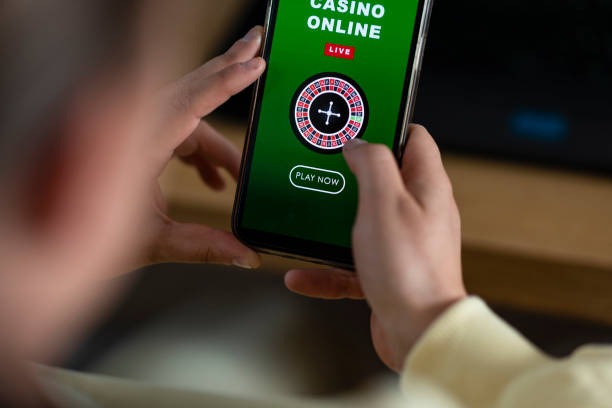
Understanding Fishing Arcade on marina4d
Fishing Arcade is an action-based game where you aim at moving targets and earn rewards based on your accuracy and timing. Each session presents a virtual fishing environment with various fish and creatures. You use your phone's touch screen or mouse to aim and fire, and each successful hit contributes to your session score. The longer you play and the more accurately you hit, the higher your potential rewards.
On marina4d, Fishing Arcade runs in real-time sessions. You join an active game, compete alongside other players, and your individual score determines your payout. Unlike multiplayer competitive games, your performance is independent — you're not directly competing against other players, but rather playing your own session while others do the same.

The appeal of Fishing Arcade is its blend of skill and chance. Your aim and timing matter, but the fish movement and spawn patterns also introduce unpredictability. This makes each session feel fresh and engaging. On marina4d, we've optimized the mobile controls so aiming is responsive and intuitive — your taps register instantly, and the game responds without lag.
Sessions typically last subject to verification, making Fishing Arcade ideal for short play windows. Whether you're on a lunch break or waiting for an appointment, you can complete a full session without a major time commitment. The game runs 24/7 on our platform, so there's always an active table available whenever you want to play.
Mobile Access: Android App and iOS Browser
We offer two paths to access Fishing Arcade on marina4d. Android users can download our dedicated app directly from the marina4d website, while iOS users access us through Safari or Chrome. Both routes deliver the same Fishing Arcade experience, account management, and payment options.
Android installation: Visit marina4d.app on your Android phone, tap the download link, and follow the on-screen prompts. The app installs in under a minute and appears on your home screen. Once installed, you log in with your marina4d credentials, and your account syncs automatically. The app uses push notifications to alert you about new Fishing Arcade sessions, so you never miss an active game.
iOS browser access: Open Safari or Chrome on your iPhone or iPad, navigate to marina4d.app, and bookmark the page. No app store approval needed — you access the full platform instantly. Your login credentials work across all devices, so if you log in on your phone, you can switch to your desktop without re-entering your details.



Account Login and Data Usage
Logging into your marina4d account on mobile is straightforward. Enter your username and password, and we verify your identity using standard security checks. If you've enabled two-factor authentication in your account settings, you'll receive a code via email or SMS — enter it to complete login.
Our mobile platform is designed to minimize data usage. Fishing Arcade graphics are optimized for 4G and 5G networks, and we compress animations and game assets to reduce bandwidth. If you're on a limited data plan, you can disable push notifications and reduce animation quality in your settings. The app caches game assets locally, so subsequent sessions use even less data.
Payment Methods and Funding Your Account
Before you can play Fishing Arcade on marina4d, you need to add funds to your account. We support multiple Indonesian payment methods, so you can choose what's most convenient. E-wallet transfers via DANA, e-wallet, mobile banking, local payment, and online payment are processed instantly — your balance updates within seconds. If you prefer a bank transfer, we accept e-wallet, mobile banking, local payment, online payment, and e-wallet virtual accounts; those typically clear within a few minutes during business hours.
On your phone, the deposit screen is straightforward: select your payment method, enter the amount, and follow the on-screen prompts. For e-wallets, you'll be redirected to your app to confirm the payment. For bank transfers, we generate a unique virtual-account number that you can copy and paste into your banking app. Once the transfer is confirmed, your balance updates automatically, and you're ready to join a Fishing Arcade session.
Gameplay Mechanics and Scoring
In Fishing Arcade, your score is determined by the number and value of targets you hit. Each fish or creature has a point value — smaller, faster targets are worth more points than larger, slower ones. Your total session score is calculated at the end of the game, and your payout is based on that score multiplied by your initial stake.
The game provides visual feedback for each hit: a splash effect, a point counter, and a running total. This immediate feedback helps you understand your performance in real time. At the end of the session, marina4d displays your final score, your payout, and a breakdown of your hits and misses.
- Hit accuracy
- The percentage of your shots that successfully hit a target, displayed at the end of each session.
- Target value
- Each fish or creature has a point value; rarer targets are worth more points.
- Session multiplier
- Your final payout is your score multiplied by your initial stake and any active bonuses.
Push Notifications and Account Preferences
We send push notifications to keep you informed about new Fishing Arcade sessions and account activity. You can opt in to alerts for active games, your account transactions, and special announcements. On your phone, these notifications appear on your lock screen or notification center, depending on your device settings.
To manage notifications, open your account settings on marina4d and scroll to "Notifications." You can toggle each alert type on or off, and set quiet hours if you prefer not to receive notifications during certain times of day. This is especially useful during holidays like Idul Fitri or Idul Adha, when you might want to limit distractions.
Support and Account Recovery
If you forget your marina4d password or lose access to your account, we offer account recovery directly from your phone. Visit the login page, tap "Forgot password," and follow the email verification steps. We send a reset link to your registered email address, and you can set a new password within minutes.
Our support team is available to help with account issues, payment questions, or technical problems. We offer English-language support and respond to inquiries during standard business hours. You can contact us through the help section in your account or via the contact form on marina4d.app.